Gmail Undo Send: How to Use It, How Long You Get, and How to Extend It
Gmail gives you 5 seconds to undo a sent message by default, and up to 30 if you change the setting on a computer. This covers how to cancel and where the setting is, what the app offers, why Undo is a delay and not a recall, and how Outlook's recall and Mac Undo Send compare.
views
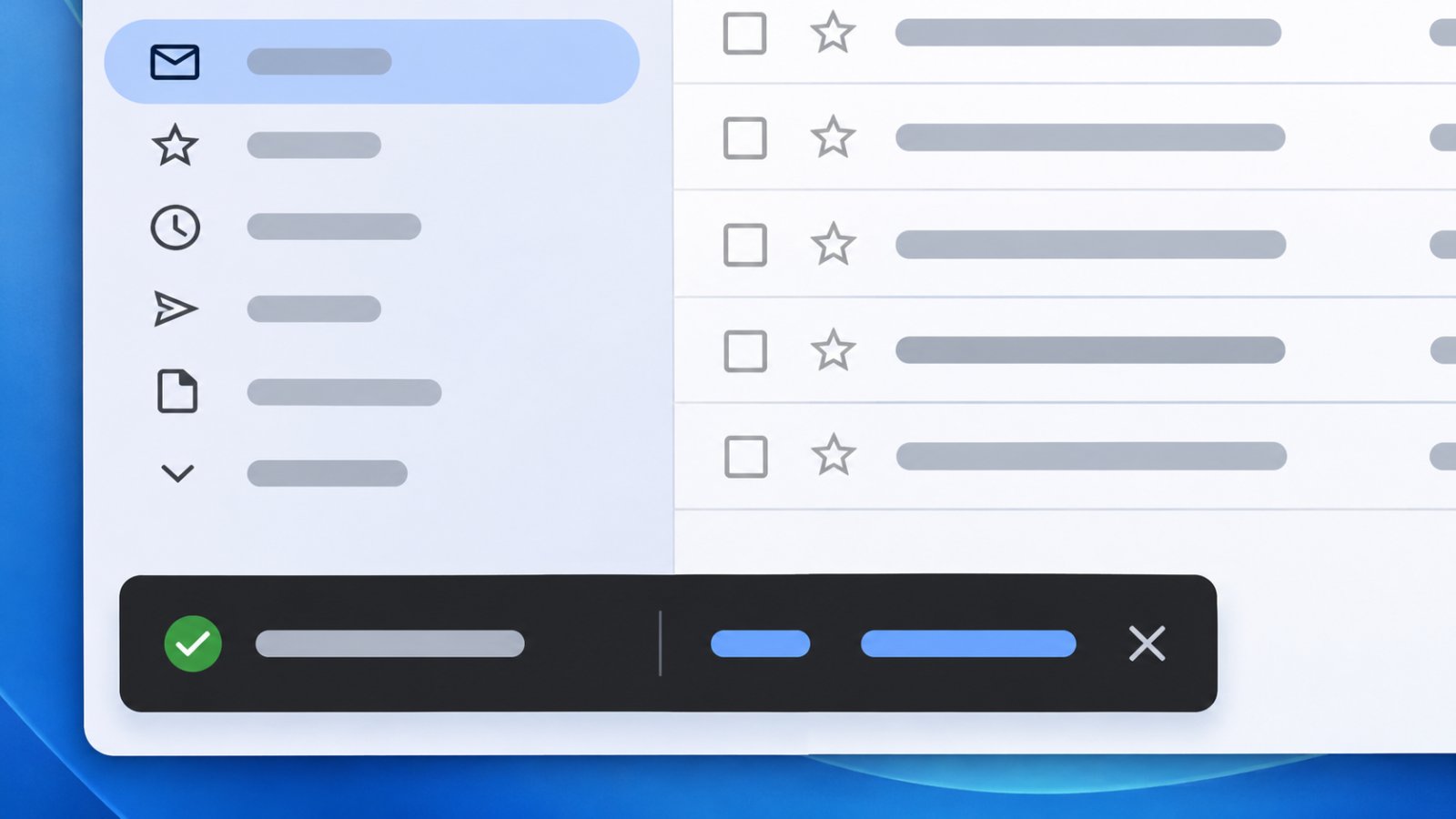
Gmail gives you 5 seconds to cancel a message after you press Send. Google's help page says you can change that period on a computer to 10, 20 or 30 seconds, and Engadget gives 30 seconds as the maximum. In a browser, Google says a box appears in the bottom left reading "Message sent," with the options "Undo" and "View message." In the Gmail app, MacRumors says the Undo notification appears at the bottom of the screen right after you tap Send, and gives that window as 5 seconds.
The limits make more sense once you know what the button actually does. Engadget reports that Undo doesn't recall anything. Gmail holds the message briefly before sending it, and once the message is in the recipient's inbox it can't be retrieved. Put plainly, this is a delay, a short wait before the mail goes out. It is not a recall, which would mean pulling a message back after it has arrived. Google's own page is more modest and says only that you have "a short time after" sending to cancel. Engadget also reports that the recipient isn't notified when you cancel, and that clicking View message ends your chance to undo. The two options sit side by side in the same box, so the one to click when a message looks wrong is Undo, not View message. The button says Undo, but by Engadget's account Hold would describe it better.
| Where you sent from | How to cancel | Time available | Longer window? |
|---|---|---|---|
| Gmail in a browser | Click Undo in the "Message sent" box at the bottom left (Google) | 5 seconds by default (Google) | 10, 20 or 30 seconds, set on a computer (Google); 30 is the maximum (Engadget) |
| Gmail app | Tap Undo in the notification at the bottom of the screen (MacRumors) | 5 seconds (MacRumors) | MacRumors describes extending the window only on desktop |
| Outlook, recipient on Exchange in your own organization | Recall, which "tries to stop delivery" (Microsoft blog, 2012, archived) | After sending, "not 100% guaranteed" | Not applicable |
| Outlook for Mac | Undo Send (Microsoft) | A delay you choose | 5, 10, 15, up to 120 seconds, for Microsoft 365 subscription licenses and Outlook.com accounts |
You change the period on a computer. Engadget gives the path: click the gear icon in the top right corner, choose See all settings, and open the General tab, where the Undo Send setting sits. Google's page says to select a send cancellation period of 5, 10, 20 or 30 seconds next to Undo Send, then click Save changes at the bottom. Google also says you can send or unsend "from a browser or the Gmail app," but its page gives no separate steps for the app. MacRumors gives the app window as 5 seconds and describes extending it only on desktop, which it calls the place "where you can easily extend your undo send window." Whether the desktop setting applies in the app is not stated in available sources.
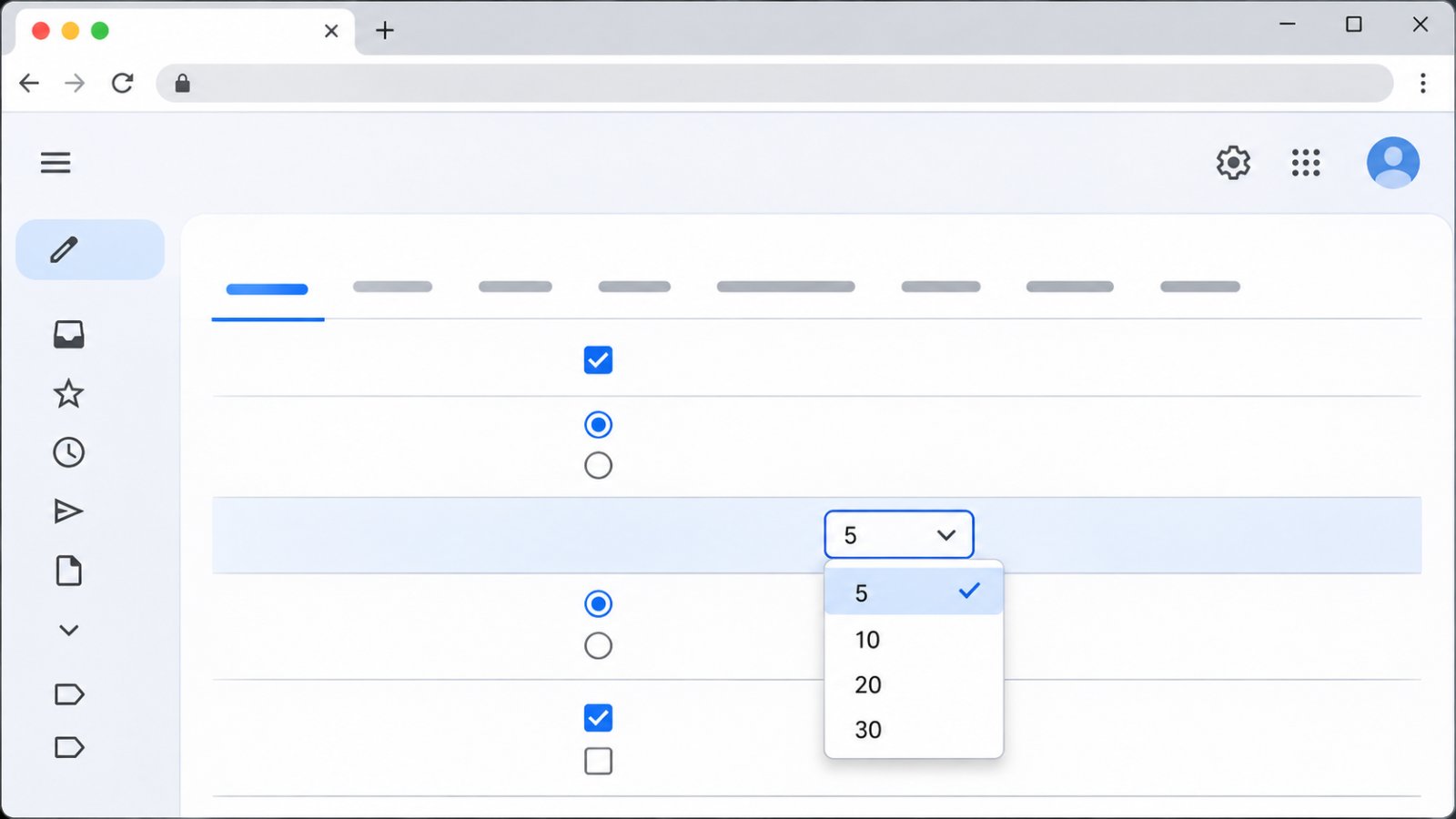
The choice of period has a second side, and it follows from Engadget's description of how Undo works. A message you can still cancel has not yet reached the recipient's inbox, because once it is there Engadget says it can't be retrieved. So the period you pick is also the time each message is held before it can arrive. Setting 30 seconds gives you six times as long as the 5-second default to notice a mistake, and every message you send waits that long before it goes out.
Undo Send is usually wanted for the same few mistakes: a wrong recipient, a typo, a missing attachment, or a reply-all that should have been a reply. None of the sources here gives a separate fix for any of them. They describe one remedy, and it is the same for every mistake: press Undo before the window closes. After that, Engadget reports that the message can't be retrieved from the recipient's inbox, and none of the sources describes any later step in Gmail.
Outlook's recall is a different kind of tool. A Microsoft blog post from 2012, now archived, says recall "tries to stop delivery" of a message you have already sent, and can optionally replace it. It only covers messages sent to another Microsoft Exchange Server user within your institution. Exchange is Microsoft's mail server software, the system an organization runs to handle its own email. The same post says recall is "not 100% guaranteed." So by Microsoft's own description, recall works only for recipients on the same Exchange system, and even then it may fail. The post says nothing about recipients outside the institution, and because it dates from 2012 it describes Outlook as it was then. It also describes a second approach that is closer to Gmail's: Outlook rules that delay delivery, so you have what the post calls "a safety window to go back and check or edit a message before it actually goes." A rule here is an instruction Outlook applies to messages automatically, in this case one that holds outgoing mail for a while before sending it. Undo Send in Outlook for Mac takes the same approach as a built-in setting. Microsoft's support page describes a delay time of 5, 10, 15, up to 120 seconds, and says the feature is available for Microsoft 365 subscription licenses and Outlook.com accounts. That list includes a 15-second step, which Gmail's list does not, and its top setting of 120 seconds is four times Gmail's 30-second maximum.
Worth checking
- On a computer, open the Undo Send setting on the General tab and see which period is selected. Google lists 5, 10, 20 or 30 seconds.
- In a browser, leave View message alone while you are still deciding. Engadget reports that clicking it ends the chance to undo.
- In the Gmail app, send a message to your own address and watch how long Undo stays on screen. That shows the window the app gives on your account.
- Before relying on Outlook recall, check whether the recipient is on Exchange in your own organization. That is the only case Microsoft's post describes.
- For Undo Send in Outlook for Mac, check that your account is a Microsoft 365 subscription or an Outlook.com account.

Hiroshi Tanabe
Hiroshi Tanabe shot wedding videos in Osaka for eight years. The cameras he bought back then, and some he regretted, are why he reviews them now. His tests of microphones and gimbals tend to run long, because he uses the...
View profileMore from Hiroshi Tanabe
View all →
Instagram Now Guesses Age Worldwide: What a Teen Flag Changes, What Is Known About Undoing It

Do Alcohol Calories Count? The 98-Calorie Floor and What Comes With It

RTX 5070 Ti vs RX 9070 XT vs 4080 Super: Which to Buy for a First PC Build
Recommended for you
More stories →
Slim Magsafe Battery Pack Under $50

Which Samsung Z Fold 5 Screen Protector is Good That Doesn’t Peel
Hear Your World Feel Your Music - Bose Ultra Open Earbuds Review
Leave a Comment